



Most founders who hire a virtual assistant (VA) hand over the wrong task first. They hand over the inbox, which needs the most product knowledge. They keep order tagging and tracking updates, which need almost none.
If you plan to hire a Shopify virtual assistant, the order you hand work over matters more than the CV. A good assistant given the hardest task on day one looks slow. Give the same person the easy tasks first and they reach the inbox sooner, with fewer corrections from you.
This post gives you that order. It also covers what to keep for yourself in the first month, a test to run before anyone gets into your Shopify admin, and the tickets to give AI instead of a person.
If you are still deciding whether to bring anyone in, start with our comparison of seasonal hires and outsourcing. This post assumes you have decided.
The two things "Shopify virtual assistant" means
Search the phrase and you find two different things for sale.
The first is a person. A Shopify virtual assistant is a remote assistant who works inside your Shopify admin and your helpdesk, part time or full time, usually from another country. They read a ticket, check the order, decide what your policy says and reply. You will see the same role sold as Shopify virtual assistant services, an ecommerce virtual assistant or a customer service virtual assistant.
The second is software. Shopify apps and helpdesk tools now sell AI assistants that answer chat, email or phone on their own. Some vendors call these a virtual assistant for Shopify too.
They are good at different things.
| Human VA | AI assistant | |
|---|---|---|
| Best at | Judgment calls, exceptions, upset customers | The same question asked for the fortieth time |
| Hours | The shift you agree | Every hour, every day |
| Learns from | Your documents and your feedback | Your documents only |
| Store actions | Whatever permissions you grant | Only what the app is allowed to do |
| Fails by | Guessing when the policy is unclear | Answering confidently when it should hand off |
You will probably want both. The useful question is which tickets go to which.
What to hand over to your Shopify VA first
Rank each task by two things: how much product knowledge it needs and how much damage a mistake does. Start with the tasks that score low on both. Move down the list only when the task above runs without your corrections.
| Order | Task | Product knowledge | Cost of a mistake | Admin access it needs |
|---|---|---|---|---|
| 1 | Tagging orders (gift, rush, address check, VIP) | None | Low | View and edit orders |
| 2 | Tracking updates and "where is my order" replies | Low | Low | View orders, helpdesk |
| 3 | Address changes before an order ships | Low | Medium | Edit orders |
| 4 | Returns and exchanges inside your written policy | Medium | Medium | Orders, returns |
| 5 | Pre-purchase product questions: sizing, fit, compatibility | High | High | Products (view only) |
| 6 | Exceptions, complaints and goodwill gestures | High | High | Keep these yourself for now |
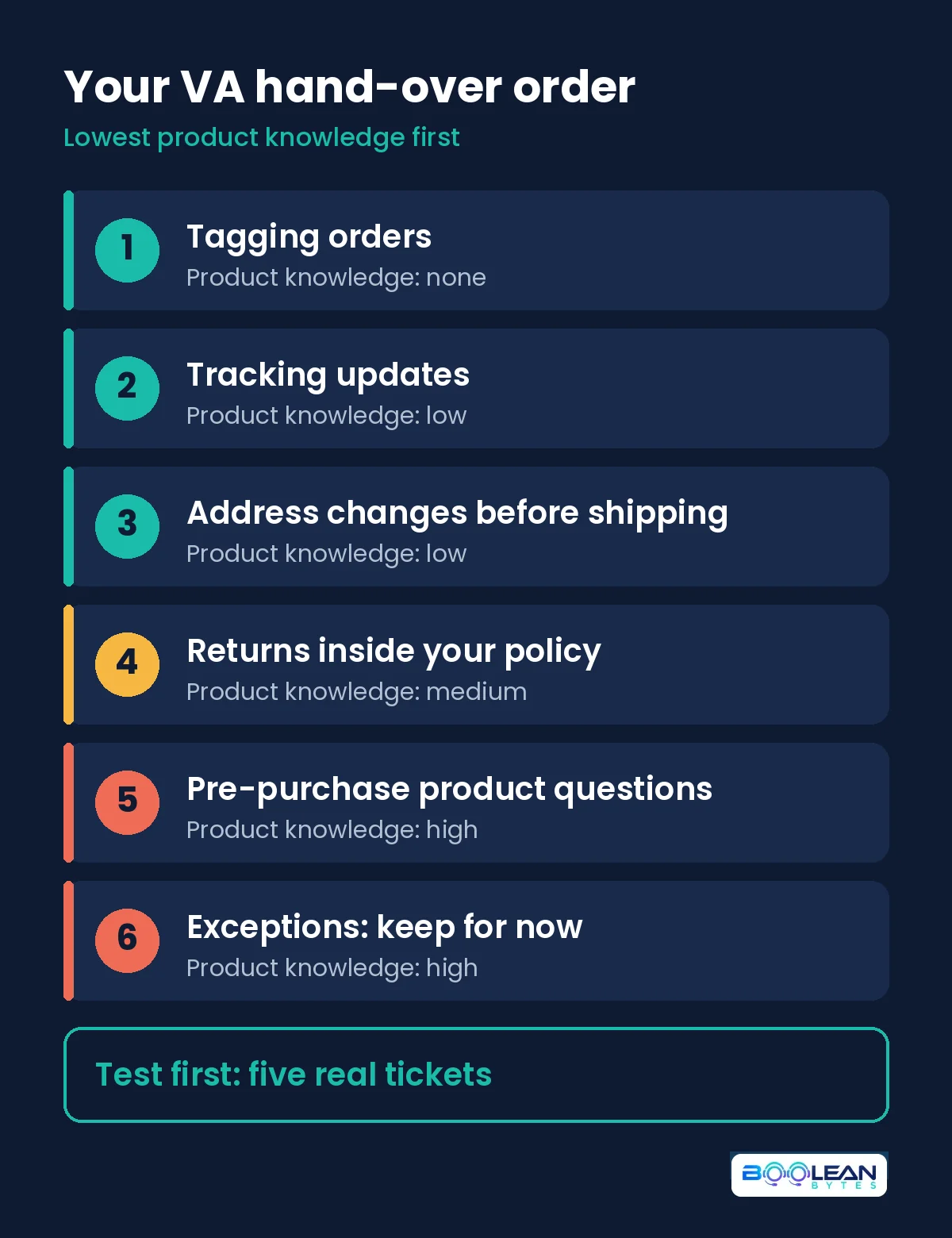
Tasks 1 and 2 give your assistant something more useful than a cleared queue. They learn how your orders move and which carriers you use before they write a sentence about your product.
Task 3 is the first one that can go wrong in public. A parcel sent to the old address is a lost order. Hand it over only after a week of clean tagging and tracking replies.
Task 5 is where most founders start. It is the hardest task on the list. A shopper asking whether the medium fits a 38-inch chest wants an answer from someone who knows how your sizes run. That knowledge lives in your head until you write it down.
How fast you move down the list depends on how many tickets your orders produce. Gorgias found about 46 tickets for every 100 orders at electronics brands and about 20 at food and beverage brands. At the same order count, the electronics store's assistant handles more than twice as many tickets. They get the practice sooner and can move down the list faster.
Count last month's tickets by type before you set any dates. The count tells you which step will take longest in your store.
What to keep for the first month
Some tasks should stay with you at first, however good the assistant is. For the first month, keep these:
- Refunds above a limit you set. Pick a number and write it down. Anything above it comes to you with a recommendation.
- Chargeback replies. These need evidence from your payment provider and a deadline someone owns.
- Discount codes and price edits. A typo here costs money on every order until someone notices.
- Product pages, theme and apps. None of the first five tasks needs them.
- Customer list exports. Shopify lists "Export customer lists" as its own permission. Leave it off.
- The angry repeat customer. The third email from the same person is a relationship, not a ticket.
Keeping these is not a verdict on the person. Each one needs context your assistant has not had time to collect.
At the end of the month, look at what came to you. If you approved every refund your assistant recommended, raise the limit. If their chargeback drafts match what you would have written, let them send the next one after you check it. Release these one at a time.
Test a virtual assistant before you give store access
A second mistake sits under the first. Most founders grant Shopify staff permissions before they have seen the assistant answer a single real ticket.
Run a test first. It needs no admin login and very little of your time.
Pick five real tickets from last month. Choose a spread:
- A "where is my order" with a stalled tracking page
- A sizing or compatibility question
- A return request outside your window
- An address change on an order that has already shipped
- A customer who is annoyed and says so
Remove the customer's name and email. Put the five tickets in a shared document with your size chart, return policy, shipping cut-offs and any saved replies you use. Ask the assistant to write a reply to each one, using only those documents.
Then read the replies against four questions:
- Is the answer right?
- Did it come from your documents or from a guess?
- Did they say where your documents were silent?
- Would you send it with your name on it?
The third question matters most. The safer assistant is the one who writes: "Your return policy doesn't cover this. Here is what I would suggest." The riskier one sends a confident wrong answer.
If two of the five replies guess, fill the gaps in your documents and run the test again with five new tickets.
Read the fifth reply twice. It shows you how the assistant writes when someone is rude to them. A better document fixes a wrong fact. Tone is much harder to fix once they are live in your inbox.
Only then open Settings > Users in your Shopify admin. Create a custom role with the permissions the first two tasks need and nothing else. Shopify combines the permissions of every role a user holds. Check the permission summary before you save.
Add the next permission only when the assistant moves down the list. Shopify's help center says custom roles are available on every plan except Basic and Starter.
Where AI fits
Two kinds of ticket suit an AI assistant better than a person.

The first is the after-hours phone call. Zendesk's 2026 CX Trends report found that 74% of consumers now expect customer service to be available around the clock. A VA on a day shift can't meet that. An AI on your phone line can answer at 11pm, take the order number and the problem, and leave a clean note for your assistant to pick up in the morning.
The second is the repeat pre-purchase question. Shipping cut-offs, return windows, whether a product ships to Canada: the answer is the same every time and it is written down.
Across Gorgias stores doing about $10M a year, the median first response takes 6.3 hours. A shopper with a simple question at 9pm may not wait that long. The answer was already in your FAQ.
Keep the AI to questions your documents answer word for word. Anything that needs a judgment call or a change to an order goes to your human VA, with the conversation attached. That handoff rule is what stops an AI from offering a refund you never approved.
That is the setup we propose: a human VA on the day queue, with AutomatingSales AI as the AI layer.
This also changes the hand-over order above. Once the AI takes the repeat questions, task 5 shrinks to the hard ones. Your assistant spends their time on the shopper choosing between two sizes, not on the tenth person asking about shipping.
The order is the hire
We have run customer support for online brands since 2010 and logged more than 26,000 hours on Upwork at 100% Job Success. What we would tell any store owner is this: the order you hand work over is part of the hire, not something to sort out after it.
So before you post the role or brief our support VAs, write down your first two tasks and your five test tickets. If you can't name them yet, you are not ready to hand the inbox to anyone.
Our free VA Hiring Playbook covers the rest: the job post, the interview questions, a trial scorecard and the first 30 days.
Shopify virtual assistant: common questions
What does a Shopify virtual assistant do?
A Shopify virtual assistant is a remote assistant who works in your Shopify admin and your helpdesk. Typical tasks are tagging orders, sending tracking updates, changing addresses before an order ships, handling returns inside your policy and answering product questions.
What should I hand over to a Shopify virtual assistant first?
Start with order tagging and tracking replies. They need almost no product knowledge and a mistake costs little. Leave pre-purchase product questions until the assistant handles the simpler tasks without corrections.
Should a virtual assistant have access to my Shopify admin?
Yes, once they have passed a test on real tickets. Give only the permissions the current tasks need. Create a custom role for the first two tasks, add permissions as the assistant takes on more and leave customer list exports off.
Can AI replace a Shopify virtual assistant?
Not for judgment calls, exceptions or upset customers. AI suits after-hours calls and the repeat questions your documents already answer. Everything else goes to a person, with the conversation attached.
AI Conversion Playbook
Find where your store loses buyers, and how AI chat, voice and SMS win them back. 8 chapters plus a 30-day roadmap.
We'll email you the guide plus a few short follow-ups over the next two weeks. Unsubscribe anytime. Privacy policy