


In 2022, 83% of consumers surveyed blamed the shipping company when a delivery went wrong. By 2025 that number had fallen to 39%, according to a survey of 1,000 US shoppers by InsureShield, the shipping insurer owned by UPS's financial arm. And last December the big US carriers delivered more parcels on time than the year before.
So the blame moved to you. If you want to reduce WISMO tickets this Black Friday, start with that shift. "Where is my order?" is rarely a delivery problem now.
It is a silence problem. Silence is something your store controls.
The carriers improved. The questions didn't stop.
Last December the US Postal Service met its on-time standard 94.1% of the time, up from 90.4% a year earlier, according to ShipMatrix. UPS hit 97.2%. Those are strong numbers for the busiest month of the year.
There is a catch. ShipMatrix also points out that with more than 100 million parcels moving each day in early December, even 99% on-time leaves about a million late parcels a day. Some of those will be yours.
Most WISMO tickets aren't about late parcels, though. Gorgias says "where is my order?" is the most common question in ecommerce, about 18% of incoming requests on average. By its own account, shoppers write in when they never got tracking, don't know the delivery date, or watched the expected date pass with no update. None of those require a late parcel.
Answering faster helps. We cut first-response time from about 12 hours to under 2 for a UK screen-health accessories brand. But a fast answer is still a ticket. The cheapest ticket is the one nobody writes.
Measure it before you fix it
Tag every order-status ticket for one week. Divide that count by the number of orders you shipped in the same week. That is your WISMO rate. It is the number to watch through December.
Then split the tagged tickets by order stage: not yet shipped, label created, in transit, out for delivery, delivered but not found. Look for the stage that holds the most tickets. That stage is your first gap.
Find the silent days in your order timeline
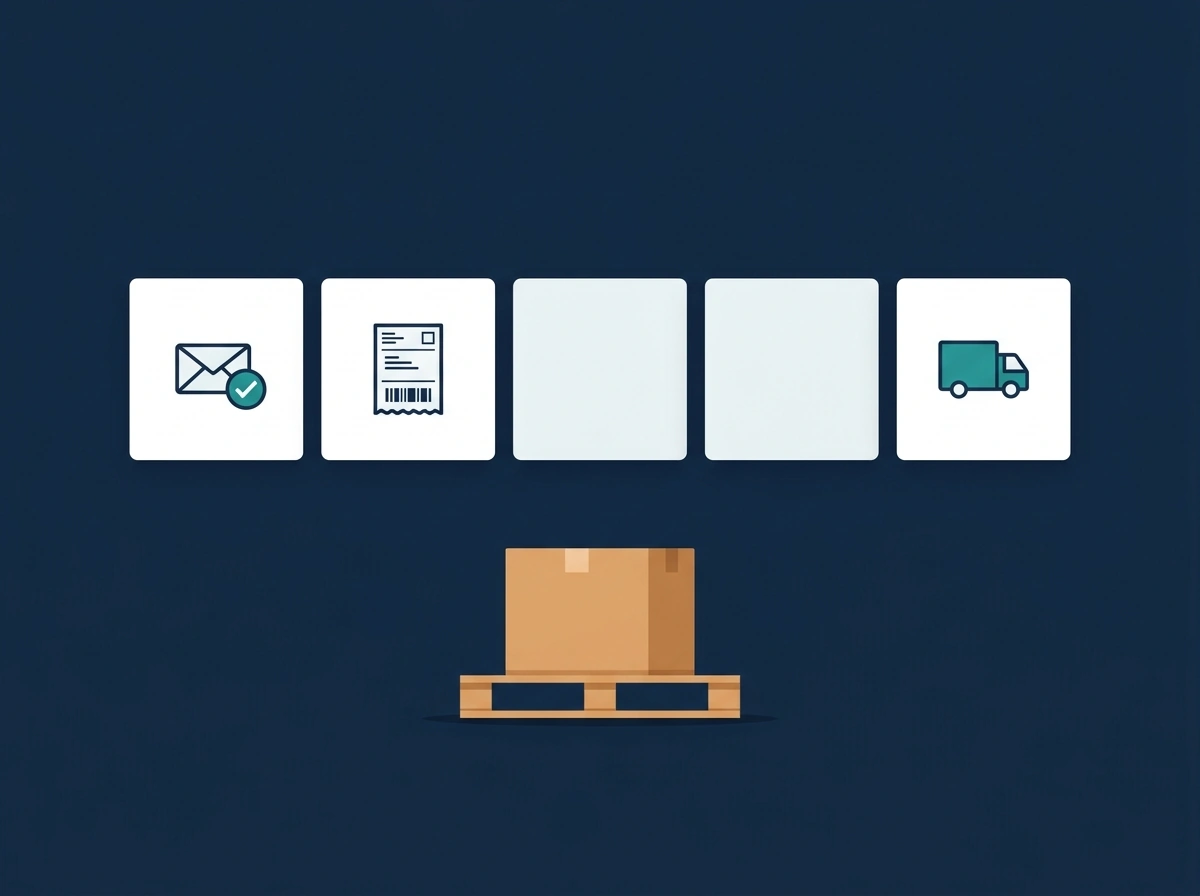
Picture a Black Friday order. The confirmation email lands on Friday. The label gets printed on Saturday. The carrier doesn't scan the box until Tuesday, because it's sitting in a pickup queue.
For three days the tracking page says "Label created." Your shopper reads that as "nothing is happening."
On day three they email you. Then they open your chat widget. Then they comment on your latest Instagram post. One worried customer becomes three tickets.
Try this today. Open three recent orders in your Shopify admin and read the timeline on each one. Find the last notification the customer received. Every day after it is a day your shopper heard nothing from you.
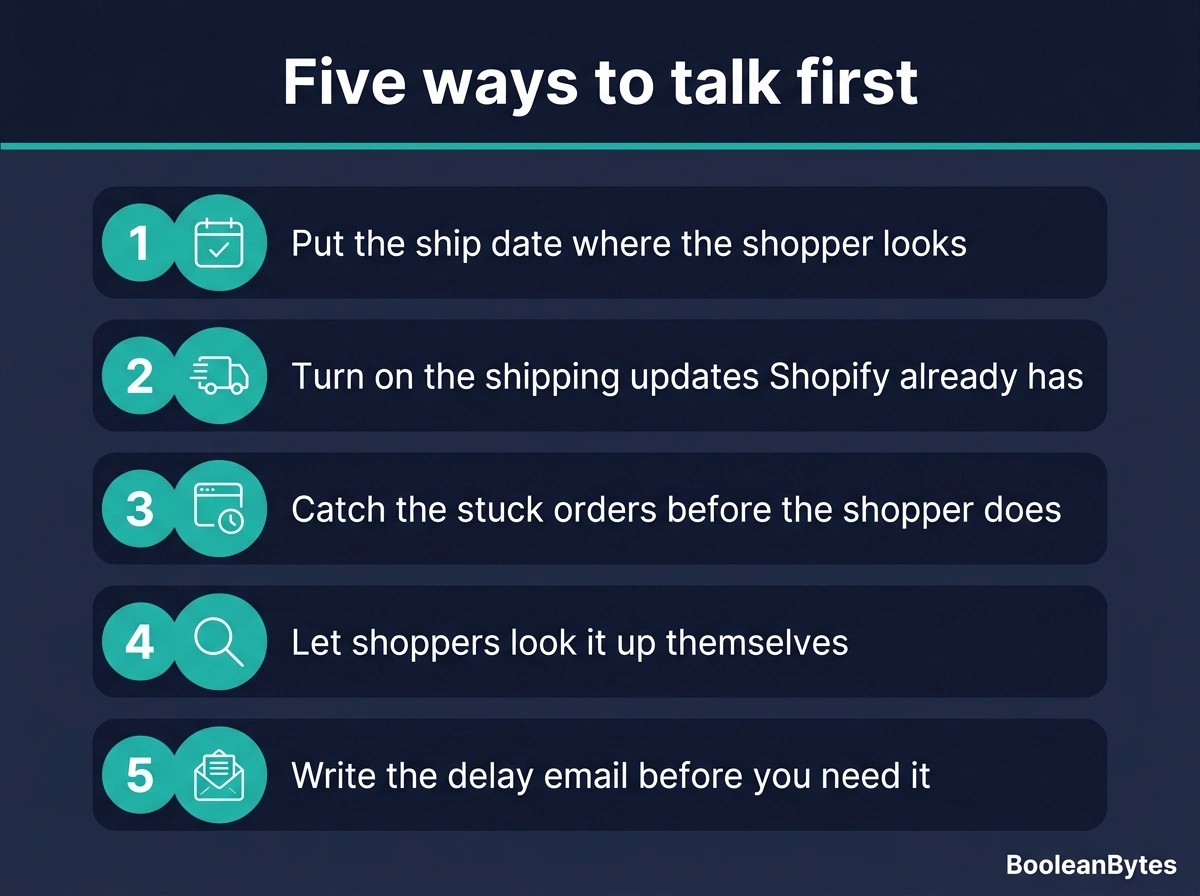
Five ways to talk first
Most of these are settings you already have in Shopify or your helpdesk. Move 4 needs a paid Gorgias add-on.
1. Put the ship date where the shopper looks. Write your real processing time on the product page, the cart and the order confirmation. "Ships in 2 to 3 business days during Black Friday week" sets the clock before anyone starts counting. Gorgias suggests using the message on its order-tracking screen for the same reminder.
2. Turn on the shipping updates Shopify already has. Shopify can send "out for delivery" and "delivered" notifications. You switch them on or off under Settings, then Notifications. Then check they actually send: ship a test order with a real tracking number and watch its timeline.
3. Catch the stuck orders before the shopper does. Shopify Flow has a template that alerts your team when an order still isn't fulfilled after two days. Turn it on before Black Friday week. When it fires, send the customer a short note first: "Your order is packed and waiting for pickup. Here's when to expect the first scan."
4. Let shoppers look it up themselves. Gorgias's Order Management adds a Track button to your chat, help center and contact form. Shoppers see their order's timeline pulled live from Shopify without starting a conversation. Gorgias says it can automate up to 30% of live chat volume.
Two things to know before you plan on it. It works only on Shopify stores. It also needs an active Gorgias AI Agent subscription. Older Gorgias pages call this product "Automate." Don't go looking for that name in your settings.
5. Write the delay email before you need it. Decide now what you'll say when a carrier stalls, a storm hits a hub or a parcel goes missing. Write the message, get it approved, and load it as a macro. When a delay hits on December 18th you want to send it in five minutes, not draft it at 11pm.
Where AI helps, and where a person still answers
An AI agent is good at the lookup. "Where is order 1042?" has one right answer. It lives in your Shopify data. A bot can give that answer at 2am on Cyber Monday, a hundred times, without getting tired.
Give it one hard rule: read the tracking status, never guess a delivery date. A bot that promises "Thursday" when the carrier hasn't scanned the box has created your next ticket.
The hard WISMO tickets aren't lookups. They have a date attached. "This is a birthday present for Saturday. Will it make it?" needs someone who can check the carrier, decide whether to reship by express, and tell the shopper the truth.
We ran support for a US children's book publisher through its Q4 gift rush, across email, phone, chat and social. Gift orders carry a deadline the shipping label doesn't show. That is the ticket worth a person. It's the one you want your team free for.
Automate the "where is it" questions. Route anything with a deadline, a missing parcel or a refund decision to a person. Our BFCM support timeline maps when each of these waves tends to hit, from early-access sales to January returns. If you're deciding which questions to hand to AI and which to keep for your team, our free AI Conversion Playbook walks through that split.
The question for this season
Black Friday is November 27th. The orders from that weekend will still be moving through December. Pick one silent gap from your order timeline and close it this week.
The bigger question is one nobody can answer yet. If fewer than four in ten shoppers now blame the carrier, how long before "the tracking page says label created" stops counting as an answer from you at all?
FAQ
What does WISMO mean?
WISMO stands for "where is my order?" It covers any message where a customer asks about the status, location or delivery date of an order they've already placed.
What share of ecommerce support tickets are WISMO?
Gorgias puts it at about 18% of incoming requests on average. That makes it the most common question in ecommerce. Your own share can be higher or lower. Tag a week of tickets and measure it.
Does Gorgias still have an add-on called Automate?
No. Gorgias's help center now files Order Management and Flows under AI Agent. Order Management needs an active AI Agent subscription. You'll still see "Automate" in older Gorgias blog posts and third-party guides.
The AI Conversion Playbook
Find where your store loses buyers, and how AI chat, voice and SMS win them back. 8 chapters plus a 30-day roadmap.
We'll email you the guide plus a few short follow-ups over the next two weeks. Unsubscribe anytime. Privacy policy